

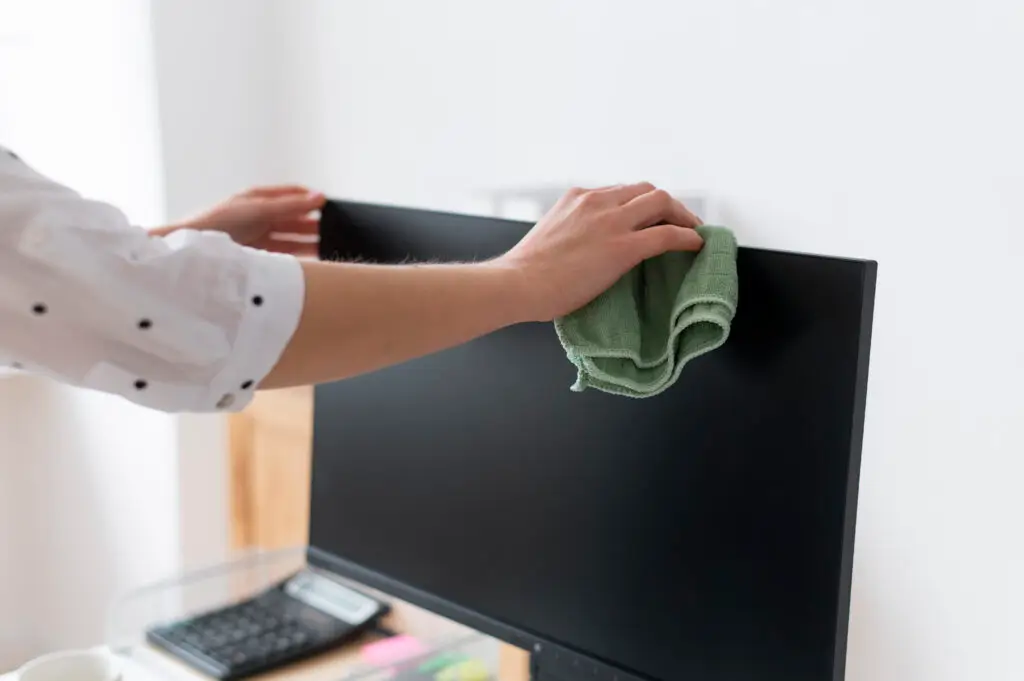
Your TV screen is the window to your entertainment world, but over time, it can accumulate an unsightly collection of dust, fingerprints, smudges, and even splatters. While it might be tempting to grab the nearest glass cleaner and paper towel, modern TV screens, especially LED, OLED, and QLED displays, are delicate and require a specific approach to avoid permanent damage. This guide will walk you through the safest and most effective methods to clean your TV screen, ensuring a crystal-clear, streak-free picture every time, without risking its sensitive surface or special coatings.
Why TV screens need special cleaning
Gone are the days of robust, glass-fronted CRT televisions that could withstand a strong wipe with Windex. Today’s flat-panel displays are engineered with advanced technologies and delicate coatings that necessitate a gentler, more precise cleaning regimen.
- Delicate Coatings: Most modern TV screens come with anti-glare, anti-static, or other specialized optical coatings. These coatings are very thin and can be easily stripped, scratched, or damaged by harsh chemicals, abrasive materials, or excessive pressure, leading to permanent discoloration or impaired picture quality.
- Pixel Sensitivity: The pixels themselves are incredibly tiny and sensitive. Applying too much pressure in one spot can cause “dead pixels” or pressure marks, particularly on LCD and LED screens.
- Material Composition: Unlike glass, many flat screens are made of softer, more easily scratched plastics or composites. Even seemingly soft materials like paper towels can leave micro-scratches over time.
- Static Electricity: TV screens, especially when on, generate static electricity that attracts dust. This dust can then become trapped and potentially scratch the screen if not removed gently.
- Preventing Streaks: The smooth, reflective surface of a TV screen is prone to showing streaks and residue from improper cleaning solutions, detracting from your viewing experience.
- Warranty Concerns: Using unapproved cleaning methods or products can void your TV’s warranty if it results in damage.
Proper care not only preserves the visual integrity of your screen but also extends the life of your expensive electronic investment.
What products to avoid when cleaning screens
To protect your TV screen’s delicate surface and special coatings, it’s crucial to know which products and materials can cause irreversible damage. Never use the following:
- Window Cleaners (e.g., Windex): These often contain ammonia, alcohol, or other harsh solvents that can strip anti-glare coatings, cause cloudiness, or permanently etch the screen material.
- Household Cleaners: Products like all-purpose sprays, kitchen cleaners, bathroom cleaners, furniture polish, or abrasive cleaners are far too strong and will almost certainly damage your screen.
- Paper Products (Paper Towels, Tissues, Toilet Paper): Despite feeling soft, paper products are made from wood fibers that are surprisingly abrasive. They can leave tiny scratches on your screen’s surface, which accumulate over time and dull the finish. They also leave behind lint.
- Alcohol-Based Cleaners (Rubbing Alcohol, Isopropyl Alcohol): While some specialized screen cleaners contain a small amount of alcohol, pure rubbing alcohol is too concentrated and can dissolve protective coatings.
- Abrasive Cloths/Sponges: Anything rough like sponges, scrubbing pads, or even rough dishcloths will scratch the screen.
- Solvents (Acetone, Paint Thinner, Benzene): These are extremely strong chemicals that will instantly and permanently damage plastic screen materials and coatings.
- Direct Sprays: Never spray any liquid directly onto the TV screen. Excess moisture can drip into the frame, seep behind the bezel, and cause internal damage to electronic components. Always spray onto the cleaning cloth first.
- Fingers/Hands: While not a cleaning product, repeatedly touching your screen leaves oily fingerprints that are tough to remove and contribute to smudges.
Step-by-step guide to cleaning your TV screen
Cleaning your TV screen safely and effectively requires a gentle touch and the right tools. Follow these steps for a streak-free, pristine display.
- Turn Off and Unplug the TV:
- Why: Turning off the TV makes dust, smudges, and fingerprints much more visible against the dark screen. Unplugging it ensures electrical safety and prevents accidental button presses during cleaning.
- How: Use your remote or the power button on the TV to turn it off. Then, disconnect the power cord from the wall outlet.
- Dust the Screen with a Dry Microfiber Cloth:
- Why: This crucial first step removes loose dust particles that could otherwise scratch the screen if rubbed around with a damp cloth.
- How: Use a clean, dry, soft microfiber cloth. Gently wipe the entire screen from top to bottom, using light, broad strokes. Do not press hard. Pay attention to the edges and corners where dust can accumulate. Fold the cloth to a clean section as needed.
- Address Smudges and Fingerprints with a Slightly Damp Microfiber Cloth (if needed):
- Why: For more stubborn marks that dry dusting can’t remove, a minimal amount of moisture is needed.
- How: If the screen still has smudges, lightly dampen a separate, clean microfiber cloth with distilled water (tap water can leave mineral spots). The cloth should be barely damp – never dripping wet.
- Wipe Gently: Again, wipe the smudged areas gently, in small circular motions or straight lines with the grain (if visible), applying minimal pressure. Avoid scrubbing. Do not let water drip down the screen.
- For Tougher Marks (Optional, use screen cleaner): If plain water isn’t enough, spray a small amount of a specialized, electronics-safe screen cleaner (see “Best Cleaners” section below) onto your microfiber cloth (never directly on the screen). Then, gently wipe the screen as described above.
- Buff Dry with a Clean, Dry Microfiber Cloth:
- Why: This step removes any residual moisture or cleaner, preventing streaks and ensuring a perfectly clear finish.
- How: Immediately after using a damp cloth or screen cleaner, use a third, completely clean and dry microfiber cloth to gently buff the entire screen. Wipe with light, even strokes until the screen is completely dry and streak-free.
- Clean the Frame and Stand:
- Why: Don’t forget the surrounding parts! The frame and stand can also collect dust and fingerprints.
- How: Use a dry or very slightly damp microfiber cloth to wipe down the TV’s bezel (frame) and stand. Avoid getting any liquid near the screen itself during this step.
- Reconnect Power:
- Why: Once everything is clean and dry, it’s safe to restore power.
- How: Plug your TV back into the wall outlet. Enjoy your sparkling clean, streak-free viewing experience!
Best cloths and cleaners for screens
Using the right tools is paramount to cleaning your TV screen safely and effectively.
Best Cloths:
- Microfiber Cloths (Essential): These are the gold standard for screen cleaning.
- Why: They are made of tiny synthetic fibers that are incredibly soft, non-abrasive, and highly effective at trapping dust, dirt, and oils without scratching. They are also lint-free.
- How to Use: Always use clean microfiber cloths. It’s best to have at least two: one for dry dusting and one for damp cleaning/polishing. Wash them regularly (without fabric softener, which can leave a film) to keep them effective.
- Recommendation: Invest in a few high-quality microfiber cloths specifically for your electronics.
Best Cleaners:
- Distilled Water (Highly Recommended for most situations):
- Why: Distilled water is free of minerals and impurities found in tap water, which can leave behind water spots or streaks. It’s gentle and effective for most smudges.
- How to Use: Lightly dampen a microfiber cloth with distilled water. Wring it out thoroughly so it’s barely moist before wiping the screen.
- Specialized Electronics Screen Cleaners:
- Why: These formulations are specifically designed for sensitive screens. They are typically ammonia- and alcohol-free, and often contain anti-static agents.
- How to Use: Always spray the cleaner onto the microfiber cloth first, never directly onto the screen. Use sparingly. Follow the product’s specific instructions.
- Brands: Look for reputable brands like Whoosh!, Screen Mom, or solutions that come with dedicated cleaning kits for TVs and monitors.
- Lens Cleaner (Caution): Some lens cleaning sprays designed for eyeglasses can be used, but check the ingredients carefully to ensure they are ammonia- and alcohol-free before using on a TV screen. Always test in an inconspicuous area if unsure.
Maintenance tips to prevent smudges and dust
Prevention is always easier than cleaning. Incorporating these simple habits can significantly reduce the need for deep cleaning and keep your TV looking great longer.
- Regular Dusting: Make it a habit to gently dust your TV screen with a dry microfiber cloth once a week or whenever you notice dust buildup. This prevents dust from accumulating and bonding with the screen, making it harder to remove later.
- Avoid Touching the Screen: Remind family members, especially children, not to touch the screen. Oily fingerprints are the most common cause of visible smudges and require more effort to remove than dust.
- Control Dust in the Room:
- Air Purifiers: Using an air purifier can significantly reduce airborne dust particles, leading to less dust settling on your TV and other surfaces.
- Dust Regularly: Routinely dust other surfaces in the room to minimize the overall dust load.
- Vacuum with HEPA Filter: A vacuum cleaner with a HEPA filter can effectively remove dust from carpets and floors before it becomes airborne.
- Mind Pet Hair: If you have pets, their hair can easily cling to the screen due to static. Regular pet grooming and cleaning can help reduce this.
- Strategic Placement: If possible, avoid placing your TV in high-traffic areas where it’s more likely to be touched or exposed to splashes (e.g., directly next to a frequently used doorway or eating area).
- Cover When Not in Use (Optional): For very dusty environments or if you’re going away for an extended period, a soft, breathable cloth cover can protect the screen from dust accumulation. Ensure the TV is cool before covering.
By following these simple cleaning and maintenance practices, you can enjoy a consistently clear and vibrant picture from your TV, making your entertainment experience even better.
Is your home entertainment area, or perhaps your entire home, in need of a professional touch? Contact Maid Cleaning For You today for a free estimate on our cleaning services, ensuring every detail, including your delicate TV screen, receives the care it deserves!