

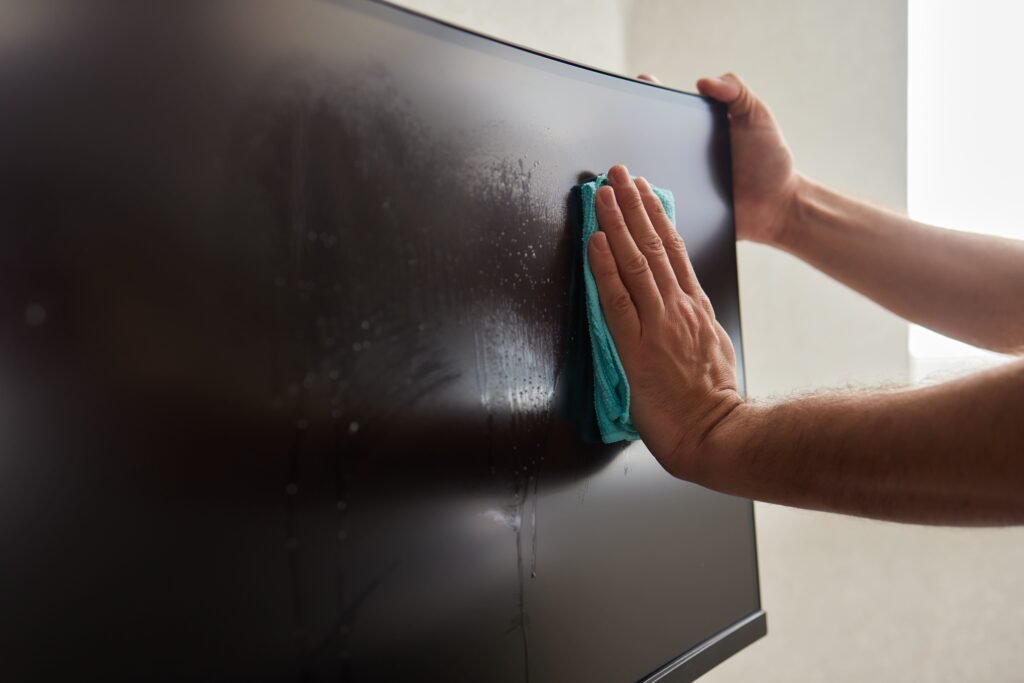
From the living room television to the keyboard on your desk, electronics are magnets for dust, fingerprints, and skin oils. While these devices are a central part of our daily lives, they are also delicate. Using the wrong cleaning agent or a rough cloth can permanently scratch a screen or damage sensitive components. By following a few simple, specialized techniques, you can keep your electronics looking pristine and functioning perfectly without risking expensive repairs.
Turn Devices Off Before Cleaning
Cleaning electronics while they are powered on is a common mistake. A dark screen makes smudges and dust much easier to see, allowing for a more thorough clean. Furthermore, turning off your devices—and unplugging them when possible—eliminates the risk of electrical shorts if you accidentally introduce moisture.
- Cooling Down: If a device has been running for a long time, allow it to cool. Warm screens can cause cleaning solutions to evaporate too quickly, leaving behind streaks.
- Safety First: Always check your device’s user manual before cleaning. Different manufacturers have specific recommendations for their displays and casing materials.
Use a Dry Microfiber Cloth First
Never reach for paper towels, tissues, or old rags when cleaning screens. These materials contain wood fibers and coarse textures that can create microscopic scratches on delicate displays.
- Microfiber Only: Use a clean, soft microfiber cloth. These fabrics are specifically designed to trap dust and lift oils without abrasive friction.
- Zero Pressure: Screens are sensitive to touch. Use light, circular motions to lift dust. Never press hard, as this can damage the pixels or the delicate layers of your screen.
- Dedication: Keep one microfiber cloth specifically for your electronics to ensure it doesn’t pick up lint or cleaning residue from other household tasks.
Avoid Spraying Cleaner Directly on Screens
This is the most critical rule: never spray cleaner directly onto your electronics. Liquid can easily seep into the edges of the bezel, pool around buttons, or drip into speakers and ports, causing internal corrosion or short circuits.
- The “Damp Cloth” Method: If a smudge or fingerprint won’t come off with a dry cloth, lightly dampen the corner of your microfiber cloth with distilled water or a dedicated screen-safe cleaner.
- Strict Prohibitions: Avoid ammonia, bleach, vinegar, and alcohol-based products unless explicitly approved by the manufacturer. Standard glass cleaners (like Windex) are strictly prohibited for most modern TV screens, as they can strip the anti-reflective coatings.
Clean Remotes, Keyboards, and Small Electronics
High-touch items like remote controls and keyboards are prime surfaces for bacteria. Because these devices have buttons and seams, you have to be extra careful about moisture control.
- Detailing: Use a cotton swab lightly dampened with a screen-safe cleaner to navigate around individual keys or buttons.
- Moisture Control: Ensure your tools are only slightly damp, not wet. If liquid drips into the circuitry of a keyboard or remote, it can be fatal for the device.
- Maintenance: If your remote has removable batteries, you can take them out for a deep cleaning session, but always ensure the device is completely dry before replacing them.
Reduce Dust Around Electronics
Electronics generate static, which naturally attracts dust from the surrounding air. If you keep the area around your devices clean, your electronics will stay cleaner for much longer.
- Ventilation: Electronics need to “breathe.” Dust buildup in vents can cause devices to overheat and slow down. Dust your entertainment centers, shelves, and device vents weekly.
- Cord Care: Dust often gathers on tangled cords. Keeping your cables organized makes dusting the entire setup much faster.
- Avoid Fabric: If possible, avoid placing electronics on dusty surfaces like heavy fabric or carpet, which can trap dust and hair that get pulled into the device’s internal cooling fans.
Professional Cleaning and Electronics
When we provide professional cleaning, our goal is to maintain a healthy home environment while protecting your property. At Maid Cleaning For You, we are experts at dusting the areas around your electronics—such as shelves, stands, and bezels—to keep your home free of the dust that eventually migrates into your devices.
While we are happy to assist with general dust control, we recommend that you handle the direct surface cleaning of your high-end screens and specialized equipment yourself to ensure they are handled according to your manufacturer’s specific guidelines. Our focus is on providing a consistent, high-quality clean that prevents dust buildup in the first place, making your home easier to maintain.
Ready to enjoy a cleaner, dust-free home? Contact Maid Cleaning For You today to get your quote and schedule your first recurring clean!
FAQ
Can I use glass cleaner on a TV screen?
No. Standard glass cleaners often contain ammonia, alcohol, or other harsh chemicals that can permanently strip anti-reflective coatings and damage modern LCD, LED, and OLED screens.
What is the safest cloth for electronics?
A clean, soft, dry microfiber cloth is the safest tool for electronics. It is gentle enough to avoid scratching and effective at trapping dust and oils.
How do I clean a remote control safely?
Use a microfiber cloth or a cotton swab very lightly dampened with a screen-safe cleaner. Ensure the liquid does not drip into the buttons or seams, and dry the device immediately afterward.
How often should electronics be dusted?
Electronics should be dusted weekly. Because they naturally attract dust through static electricity, frequent light maintenance prevents the dust from hardening into a stubborn layer or being pulled into the device’s vents.